Guest Fields
Guest Fields Settings Page
Expanding on the standard fields, it is possible to pick and choose from a wider range of CRM details to collect when guests book online.
This page is used to manage which guest fields are present / required for bookings.
Guest fields can be configured to be visible or compulsory via the Product Setup > Guests Fields link in the RoomBoss menu, giving you full control of the information you receive from guests.
Setup is fast: simply choose a vendor, select the options you want to update, and click save:
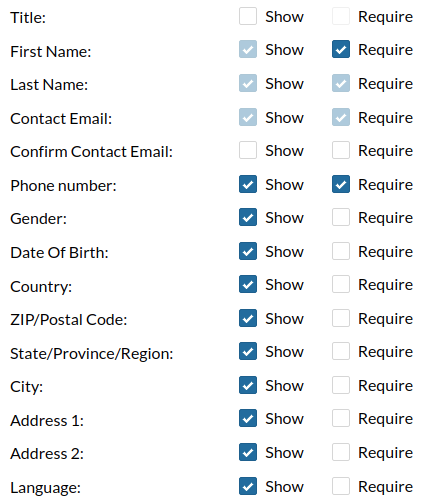
- Show - The field will be displayed in the booking engine when collecting details.
- Show and Required - The field is mandatory and must filled out to proceed to the next step.
Website Booking Engine
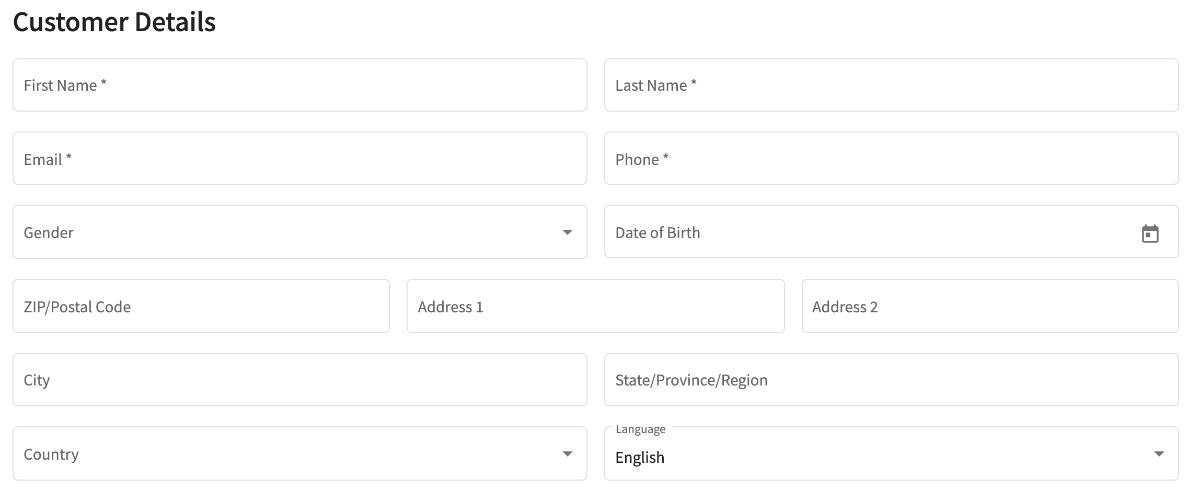
Once configured, the new guest fields will be displayed when guests are completing their booking: